

- Головна
- Завантажити
Download GolinksPRO Download Manager
Version 0.5.2 · free and open source · no ads, no spyware, nothing bundled. What's new
-
Windows 10 та 11 · 64-біт
- setup.exe
- Installs GDM, connects your browsers, asks your language
- portable.zip
- Розпакуйте будь-куди, навіть на USB-флешку; все залишається у своїй папці
- x64.zip
- Програми без інсталятора
-
macOS 11 та новіші
- arm64.dmg
- Apple Silicon: Mac з чипом M1 або новішим
- x86_64.dmg
- Intel: Mac з процесором Intel
- Перший запуск
- Ще не нотаріально засвідчено Apple: клацніть правою кнопкою миші на програмі та виберіть Відкрити (macOS 15 та новіші: Системні налаштування → Приватність і безпека → Відкрити все одно)
-
Linux x86-64
- .AppImage
- Будь-який дистрибутив: зробіть його виконуваним і запустіть
- .tar.gz
- Програми, щоб розпакувати будь-куди
Це настільна програма: відкрийте цю сторінку на своєму комп'ютері, щоб завантажити її.
Розширення для браузера
It hands your browser's downloads to GDM with their cookies, adds Download with GolinksPRO Download Manager to the right-click menu and puts a Download video button over videos.
Firefox (а також Zen і LibreWolf): одне натискання в магазині доповнень — і Firefox автоматично оновлюватиме розширення.
 Додати до Firefox
Chrome, Edge, Brave, Opera та Vivaldi: одне натискання в Chrome Web Store — і браузер автоматично оновлюватиме розширення. Спочатку Edge попросить дозволити встановлення розширень з інших магазинів.
 Додати до Chrome
Не можете скористатися магазином? Розширення постачається разом із програмою, у її папці extension, а також окремим файлом для завантаження для браузерів на базі Chromium (.zip: розпакуйте архів, а потім натисніть Завантажити розпаковане на сторінці розширень браузера, коли ввімкнено режим розробника). У покроковому посібнику описано дії для кожного браузера.
Встановлення за 3 кроки
- Завантажте setup.exe вище та запустіть його. Windows може запитати, чи дозволити це: інсталятор ще не підписаний кодом, тому виберіть Додаткова інформація → Все одно запустити.
- Виберіть мову та залиште позначеним Налаштувати інтеграцію з браузером.
- Start GolinksPRO Download Manager from the Start menu, then download your first file.
Для Linux або Mac
Linux: install the .deb with sudo apt install ./<file>.deb (Debian, Ubuntu, Mint) or the .rpm with sudo dnf install ./<file>.rpm (Fedora), and the packages bring what GDM needs. Or make the AppImage executable (chmod +x) and run it. GDM connects itself to your browsers at each start; then add the extension from your browser's store, above. More in the help.
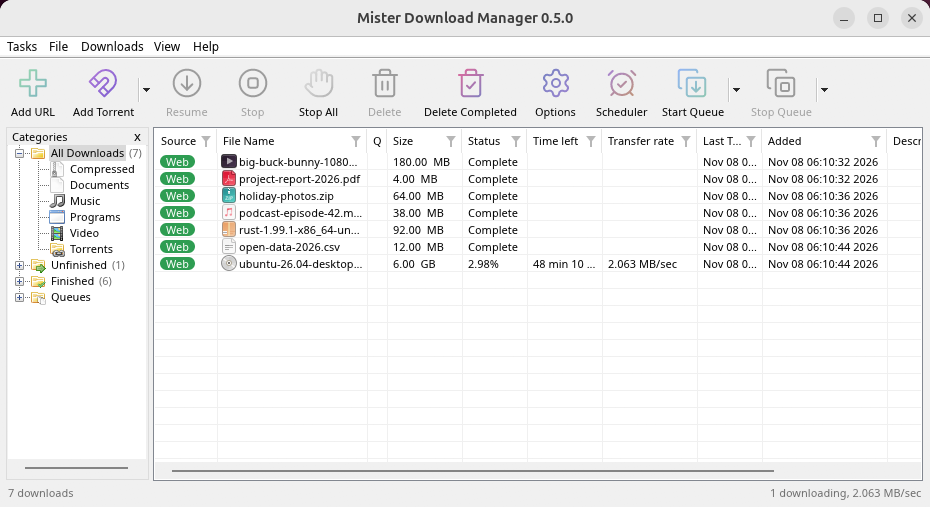
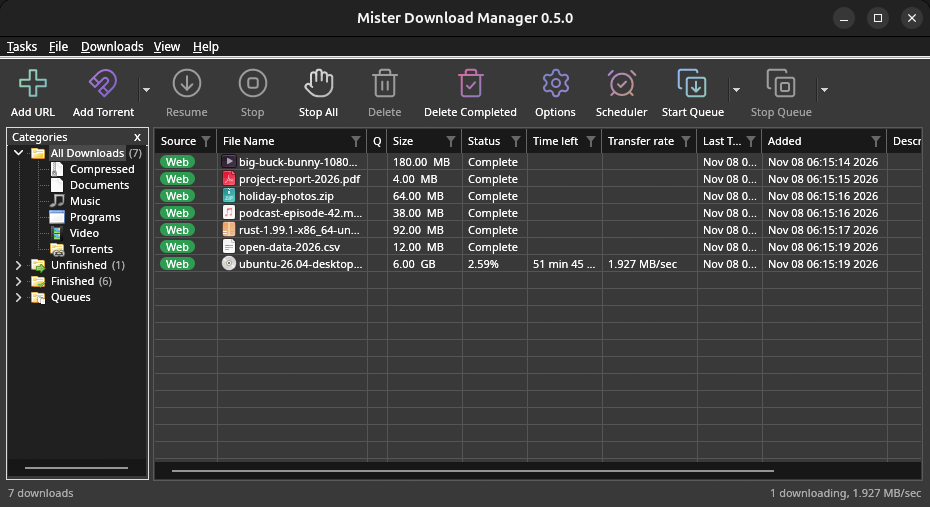
macOS: open the .dmg and drag GolinksPRO Download Manager to Applications, then right-click it and choose Open the first time.
Linux won't be experimental any more. GNOME, KDE Plasma, Xfce and Cinnamon were checked window by window, with the tray and Dark Mode support, in Wayland sessions too, and the .deb and .rpm in clean Ubuntu 24.04, Debian 12 and Fedora 45 systems. What's left: the Flatpak Firefox isn't checked yet, and screen readers (Orca) don't read GDM's windows on Linux yet. macOS stays experimental. Windows, Mac and Linux
Що потрібно
- Windows 10 або 11, 64-розрядна; близько 100 МБ дискового простору.
- macOS 11 або новіша версія на Apple Silicon або Intel (експериментально).
- Linux на x86-64 з робочою сесією, X11 або Wayland (поточні файли експериментальні).
- For video pages, GDM downloads yt-dlp (and ffmpeg if you want merged qualities) on first use.
Перевірити завантажений файл
Every release lists the SHA-256 checksum of each file in SHA256SUMS.txt. On Windows, compare it with certutil -hashfile file SHA256; on macOS and Linux with shasum -a 256 file.
Free and Open Source
GolinksPRO Download Manager is free software under the GNU GPL, version 3.
Щось не працює? Повідомте нас.
Troubleshooting guide