

- Home
- Downloaden
Download GolinksPRO Download Manager
Version 0.5.2 · free and open source · no ads, no spyware, nothing bundled. What's new
-
Windows 10 en 11 · 64-bit
- setup.exe
- Installs GDM, connects your browsers, asks your language
- portable.zip
- Overal uitpakken, ook op een USB-stick; alles blijft in de map
- x64.zip
- De programma's zonder installatieprogramma
-
macOS 11 en nieuwer
- arm64.dmg
- Apple Silicon: Macs met een M1-chip of nieuwer
- x86_64.dmg
- Intel: Macs met een Intel-processor
- Eerste keer starten
- Nog niet door Apple genotariseerd: klik met de rechtermuisknop op de app en kies Openen (macOS 15 en nieuwer: Systeeminstellingen → Privacy en beveiliging → Toch openen)
-
Linux x86-64
- .AppImage
- Elke distributie: maak het uitvoerbaar en voer het uit
- .tar.gz
- De programma's, om overal uit te pakken
Het is een desktop-app: open deze pagina op uw computer om deze te downloaden.
De browserextensie
It hands your browser's downloads to GDM with their cookies, adds Download with GolinksPRO Download Manager to the right-click menu and puts a Download video button over videos.
Firefox (en Zen, LibreWolf): met één klik vanuit de add-onwinkel geïnstalleerd, waarna Firefox de extensie automatisch bijwerkt.
 Toevoegen aan Firefox
Chrome, Edge, Brave, Opera en Vivaldi: met één klik vanuit de Chrome Web Store geïnstalleerd, waarna de browser de extensie automatisch bijwerkt. Edge vraagt eerst of u extensies uit andere winkels wilt toestaan.
 Toevoegen aan Chrome
Kunt u geen winkel gebruiken? De extensie wordt meegeleverd met de app, in de extension-map, en is ook apart te downloaden voor Chromium-browsers (.zip: pak de extensie uit en kies vervolgens Uitgepakte extensie laden op de extensiepagina van de browser, met de ontwikkelaarsmodus ingeschakeld). De stapsgewijze handleiding laat zien hoe dit werkt in elke browser.
Installeren in drie stappen
- Download setup.exe hierboven en voer het uit. Windows kan vragen of u het wilt toestaan: het installatieprogramma is nog niet ondertekend, dus kies Meer info → Toch uitvoeren.
- Kies uw taal en laat Browserintegratie instellen aangevinkt.
- Start GolinksPRO Download Manager from the Start menu, then download your first file.
Op Linux of een Mac
Linux: install the .deb with sudo apt install ./<file>.deb (Debian, Ubuntu, Mint) or the .rpm with sudo dnf install ./<file>.rpm (Fedora), and the packages bring what GDM needs. Or make the AppImage executable (chmod +x) and run it. GDM connects itself to your browsers at each start; then add the extension from your browser's store, above. More in the help.
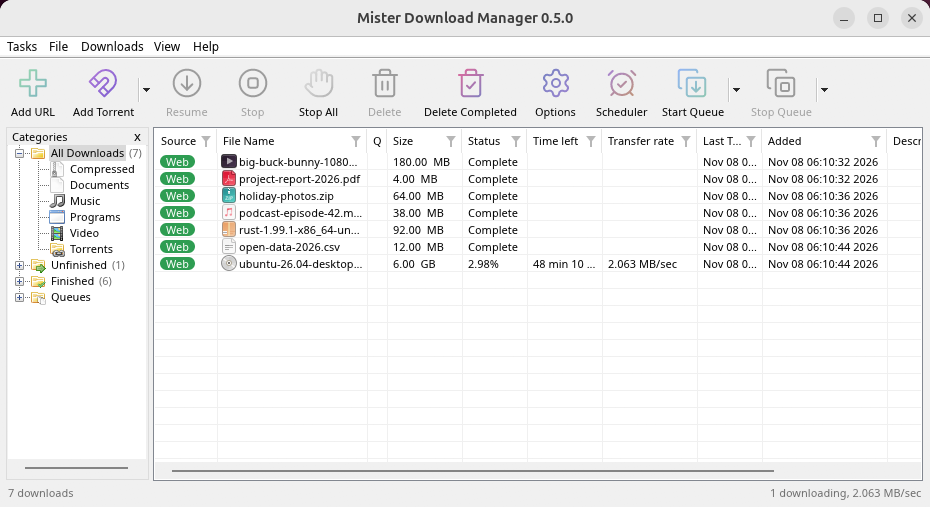
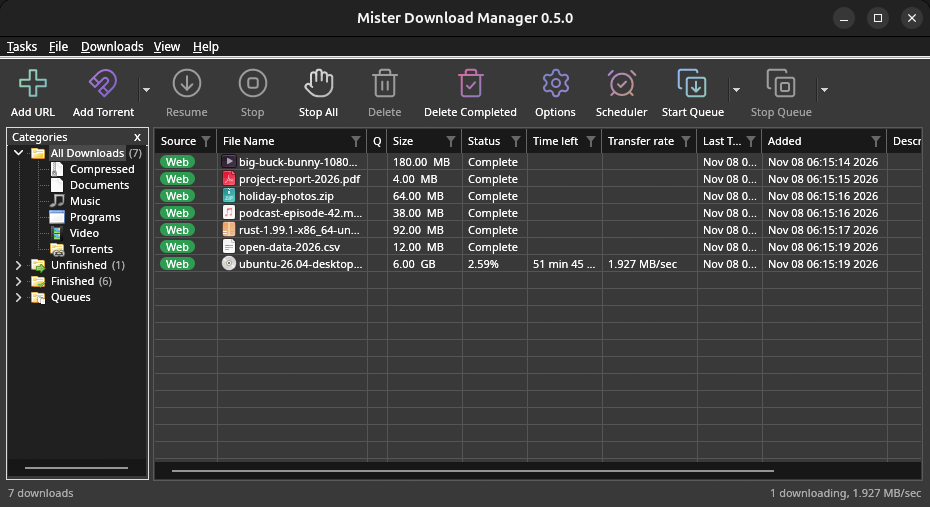
macOS: open the .dmg and drag GolinksPRO Download Manager to Applications, then right-click it and choose Open the first time.
Linux won't be experimental any more. GNOME, KDE Plasma, Xfce and Cinnamon were checked window by window, with the tray and Dark Mode support, in Wayland sessions too, and the .deb and .rpm in clean Ubuntu 24.04, Debian 12 and Fedora 45 systems. What's left: the Flatpak Firefox isn't checked yet, and screen readers (Orca) don't read GDM's windows on Linux yet. macOS stays experimental. Windows, Mac and Linux
Wat u nodig hebt
- Windows 10 of 11, 64-bit; ongeveer 100 MB schijfruimte.
- macOS 11 of nieuwer op Apple Silicon of Intel (experimenteel).
- Linux op x86-64 met een desktopsessie, X11 of Wayland (huidige bestanden experimenteel).
- For video pages, GDM downloads yt-dlp (and ffmpeg if you want merged qualities) on first use.
Uw download controleren
Every release lists the SHA-256 checksum of each file in SHA256SUMS.txt. On Windows, compare it with certutil -hashfile file SHA256; on macOS and Linux with shasum -a 256 file.
Free and Open Source
GolinksPRO Download Manager is free software under the GNU GPL, version 3.
Werkt er iets niet? We horen het graag.
Troubleshooting guide