

- ホーム
- ダウンロード
Download GolinksPRO Download Manager
Version 0.5.2 · free and open source · no ads, no spyware, nothing bundled. What's new
-
Windows 10および11 · 64ビット
- setup.exe
- Installs GDM, connects your browsers, asks your language
- portable.zip
- どこにでも解凍でき、USBメモリでも使えます。すべてのファイルはフォルダー内に保存されます
- x64.zip
- インストーラーなしのプログラム
-
macOS 11以降
- arm64.dmg
- Appleシリコン: M1チップ以降を搭載したMac
- x86_64.dmg
- Intel: Intelプロセッサを搭載したMac
- 初回起動
- Appleによる公証はまだです。アプリを右クリックして「開く」を選択してください(macOS 15以降の場合:システム設定 → プライバシーとセキュリティ → このまま開く)
-
Linux x86-64
AppImageをダウンロード
これはデスクトップアプリです。ダウンロードするには、お使いのコンピューターでこのページを開いてください。
ブラウザー拡張機能
It hands your browser's downloads to GDM with their cookies, adds Download with GolinksPRO Download Manager to the right-click menu and puts a Download video button over videos.
Firefox(Zen、LibreWolfも対応):アドオンストアからワンクリックで追加でき、Firefoxが自動的に最新の状態に保ちます。
 Firefoxに追加
Chrome、Edge、Brave、Opera、Vivaldi:Chromeウェブストアからワンクリックで追加でき、ブラウザーが自動的に最新の状態に保ちます。Edgeでは、最初に他のストアからの拡張機能を許可するよう求められます。
 Chromeに追加
ストアを利用できない場合は、アプリのextensionフォルダーに付属しています。また、Chromium系ブラウザー向けに個別にダウンロードすることもできます(.zip:解凍し、ブラウザーの拡張機能ページで開発者モードをオンにしてからパッケージ化されていない拡張機能を読み込む)。手順ガイドで各ブラウザーの設定方法を説明しています。
3つのステップでインストール
- 上記のsetup.exeをダウンロードして実行します。Windowsで許可を求められる場合があります。インストーラーにはまだコード署名がないため、詳細情報 → 実行を選択してください。
- 言語を選び、ブラウザー連携を設定にチェックを入れたままにします。
- Start GolinksPRO Download Manager from the Start menu, then download your first file.
Linux または Mac をお使いの場合
Linux: install the .deb with sudo apt install ./<file>.deb (Debian, Ubuntu, Mint) or the .rpm with sudo dnf install ./<file>.rpm (Fedora), and the packages bring what GDM needs. Or make the AppImage executable (chmod +x) and run it. GDM connects itself to your browsers at each start; then add the extension from your browser's store, above. More in the help.
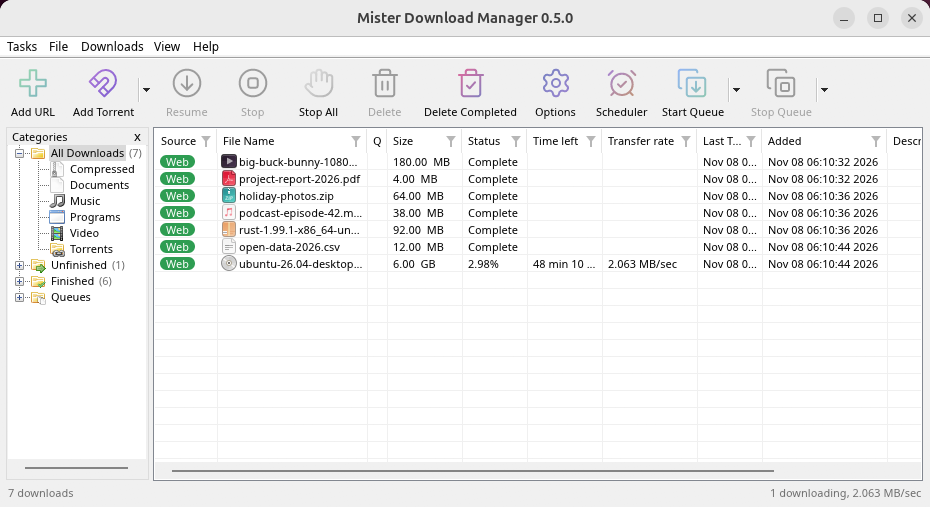
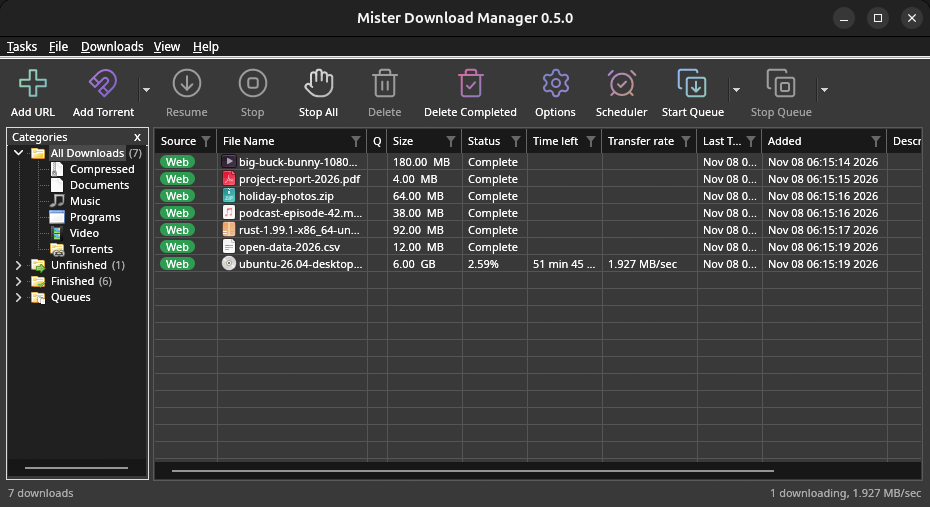
macOS: open the .dmg and drag GolinksPRO Download Manager to Applications, then right-click it and choose Open the first time.
Linux won't be experimental any more. GNOME, KDE Plasma, Xfce and Cinnamon were checked window by window, with the tray and Dark Mode support, in Wayland sessions too, and the .deb and .rpm in clean Ubuntu 24.04, Debian 12 and Fedora 45 systems. What's left: the Flatpak Firefox isn't checked yet, and screen readers (Orca) don't read GDM's windows on Linux yet. macOS stays experimental. Windows, Mac and Linux
必要なもの
- Windows 10または11、64ビット。約100MBのディスク容量。
- Apple SiliconまたはIntel搭載のmacOS 11以降(実験的)。
- デスクトップ セッション、X11 または Wayland を搭載した x86-64 Linux (現在のファイルは実験的な段階)。
- For video pages, GDM downloads yt-dlp (and ffmpeg if you want merged qualities) on first use.
ダウンロードの確認
Every release lists the SHA-256 checksum of each file in SHA256SUMS.txt. On Windows, compare it with certutil -hashfile file SHA256; on macOS and Linux with shasum -a 256 file.
Free and Open Source
GolinksPRO Download Manager is free software under the GNU GPL, version 3.
問題が発生しましたか? お知らせください。
Troubleshooting guide