

- Home
- Scarica
Download GolinksPRO Download Manager
Version 0.5.2 · free and open source · no ads, no spyware, nothing bundled. What's new
-
Windows 10 e 11 · 64 bit
- setup.exe
- Installs GDM, connects your browsers, asks your language
- portable.zip
- Decomprimi ovunque, anche su una chiavetta USB; tutto resta nella sua cartella
- x64.zip
- I programmi senza programma di installazione
-
macOS 11 e successivi
- arm64.dmg
- Apple Silicon: Mac con chip M1 o successivi
- x86_64.dmg
- Intel: Mac con processore Intel
- Primo avvio
- L'app non è ancora autenticata da Apple: fai clic destro sull'app e scegli Apri (macOS 15 e versioni successive: Impostazioni di sistema → Privacy e sicurezza → Apri comunque)
-
Linux x86-64
- .AppImage
- Qualsiasi distribuzione: rendilo eseguibile e avvialo
- .tar.gz
- I programmi da decomprimere ovunque
È un'app desktop: apri questa pagina sul computer per scaricarla.
L'estensione per browser
It hands your browser's downloads to GDM with their cookies, adds Download with GolinksPRO Download Manager to the right-click menu and puts a Download video button over videos.
Firefox (e Zen, LibreWolf): basta un clic nel suo store dei componenti aggiuntivi e Firefox la mantiene aggiornata.
 Aggiungi a Firefox
Chrome, Edge, Brave, Opera e Vivaldi: basta un clic nel Chrome Web Store e il browser la mantiene aggiornata. Edge chiede prima di consentire le estensioni da altri store.
 Aggiungi a Chrome
Non puoi usare uno store? L'estensione è inclusa nell'app, nella cartella extension, ed è disponibile anche come download separato per i browser Chromium (.zip: decomprimi i file, poi fai clic su Carica estensione non pacchettizzata nella pagina delle estensioni del browser, con la modalità sviluppatore attiva). La guida passo passo mostra i passaggi per ogni browser.
Installa in tre passaggi
- Scarica setup.exe qui sopra ed eseguilo. Windows potrebbe chiederti se vuoi consentirne l'esecuzione: il programma di installazione non è ancora firmato digitalmente, quindi scegli Ulteriori informazioni → Esegui comunque.
- Scegli la lingua e lascia selezionata l'opzione Configura l'integrazione con i browser.
- Start GolinksPRO Download Manager from the Start menu, then download your first file.
Su Linux o Mac
Linux: install the .deb with sudo apt install ./<file>.deb (Debian, Ubuntu, Mint) or the .rpm with sudo dnf install ./<file>.rpm (Fedora), and the packages bring what GDM needs. Or make the AppImage executable (chmod +x) and run it. GDM connects itself to your browsers at each start; then add the extension from your browser's store, above. More in the help.
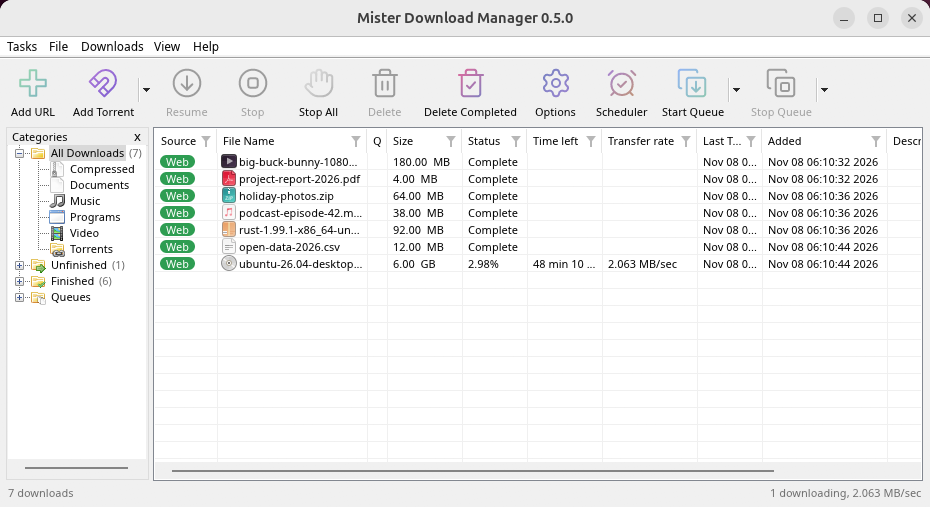
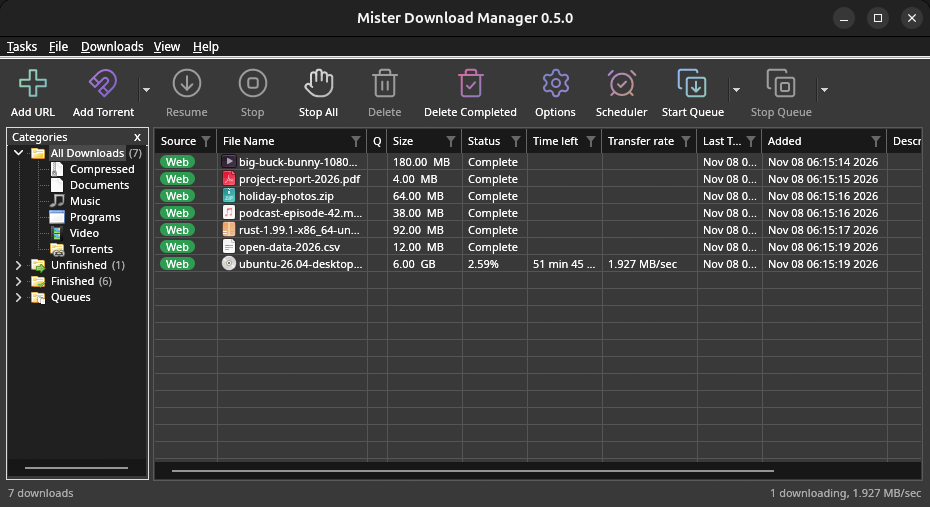
macOS: open the .dmg and drag GolinksPRO Download Manager to Applications, then right-click it and choose Open the first time.
Linux won't be experimental any more. GNOME, KDE Plasma, Xfce and Cinnamon were checked window by window, with the tray and Dark Mode support, in Wayland sessions too, and the .deb and .rpm in clean Ubuntu 24.04, Debian 12 and Fedora 45 systems. What's left: the Flatpak Firefox isn't checked yet, and screen readers (Orca) don't read GDM's windows on Linux yet. macOS stays experimental. Windows, Mac and Linux
Cosa ti serve
- Windows 10 o 11, a 64 bit; circa 100 MB di spazio su disco.
- macOS 11 o successivo su Apple Silicon o Intel (sperimentale).
- Linux su x86-64 con una sessione desktop, X11 o Wayland (i file attuali sono sperimentali).
- For video pages, GDM downloads yt-dlp (and ffmpeg if you want merged qualities) on first use.
Controlla il tuo download
Every release lists the SHA-256 checksum of each file in SHA256SUMS.txt. On Windows, compare it with certutil -hashfile file SHA256; on macOS and Linux with shasum -a 256 file.
Free and Open Source
GolinksPRO Download Manager is free software under the GNU GPL, version 3.
Qualcosa non funziona? Vogliamo saperlo.
Troubleshooting guide