

- Inicio
- Descargar
Download GolinksPRO Download Manager
Version 0.5.2 · free and open source · no ads, no spyware, nothing bundled. What's new
-
Windows 10 y 11 · 64 bits
- setup.exe
- Installs GDM, connects your browsers, asks your language
- portable.zip
- Descomprime en cualquier lugar, también en un USB; todo se queda en su carpeta
- x64.zip
- Los programas sin instalador
-
macOS 11 y posterior
- arm64.dmg
- Apple Silicon: Mac con chip M1 o posterior
- x86_64.dmg
- Intel: Mac con procesador Intel
- Primer inicio
- Aún no está certificado por Apple: haz clic derecho en la aplicación y elige Abrir (macOS 15 y posteriores: Ajustes del Sistema → Privacidad y seguridad → Abrir de todos modos)
-
Linux x86-64
- .AppImage
- Cualquier distribución: hazlo ejecutable y ejecútalo
- .tar.gz
- Los programas, para descomprimir en cualquier lugar
Es una aplicación de escritorio: abre esta página en tu ordenador para descargarla.
La extensión del navegador
It hands your browser's downloads to GDM with their cookies, adds Download with GolinksPRO Download Manager to the right-click menu and puts a Download video button over videos.
Firefox (y Zen y LibreWolf): instálala con un clic desde su tienda de complementos y Firefox la mantiene actualizada.
 Añadir a Firefox
Chrome, Edge, Brave, Opera y Vivaldi: instálala con un clic desde Chrome Web Store y el navegador la mantiene actualizada. Edge primero pide permiso para instalar extensiones de otras tiendas.
 Añadir a Chrome
¿No puedes usar una tienda? Viene con la aplicación, en su carpeta extension, y también puedes descargarla por separado para navegadores Chromium (.zip: descomprime el archivo y, después, selecciona Cargar extensión sin empaquetar en la página de extensiones del navegador con el modo Desarrollador activado). La guía paso a paso explica los pasos para cada navegador.
Instalar en tres pasos
- Descarga setup.exe arriba y ejecútalo. Windows puede preguntar si quieres permitirlo: el instalador aún no está firmado digitalmente, así que elige Más información → Ejecutar de todos modos.
- Elige tu idioma y mantén marcada la opción Configurar la integración con el navegador.
- Start GolinksPRO Download Manager from the Start menu, then download your first file.
En Linux o Mac
Linux: install the .deb with sudo apt install ./<file>.deb (Debian, Ubuntu, Mint) or the .rpm with sudo dnf install ./<file>.rpm (Fedora), and the packages bring what GDM needs. Or make the AppImage executable (chmod +x) and run it. GDM connects itself to your browsers at each start; then add the extension from your browser's store, above. More in the help.
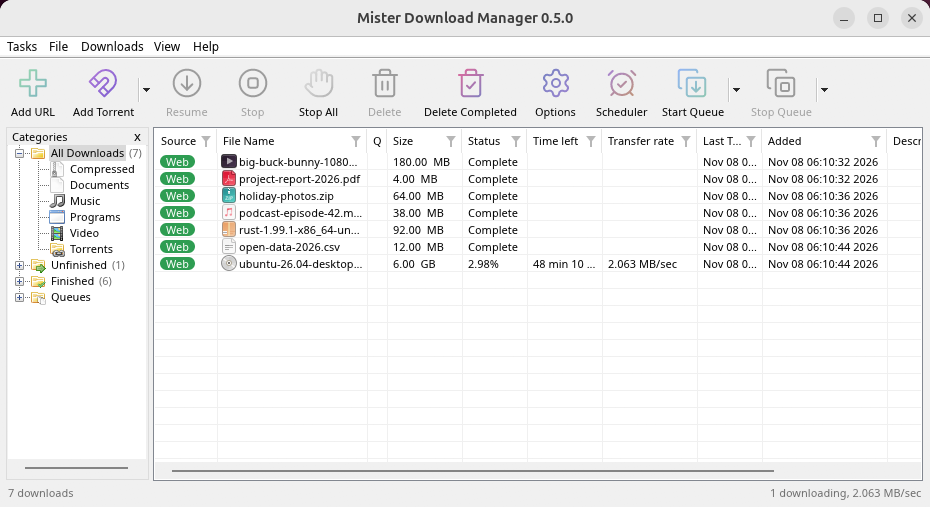
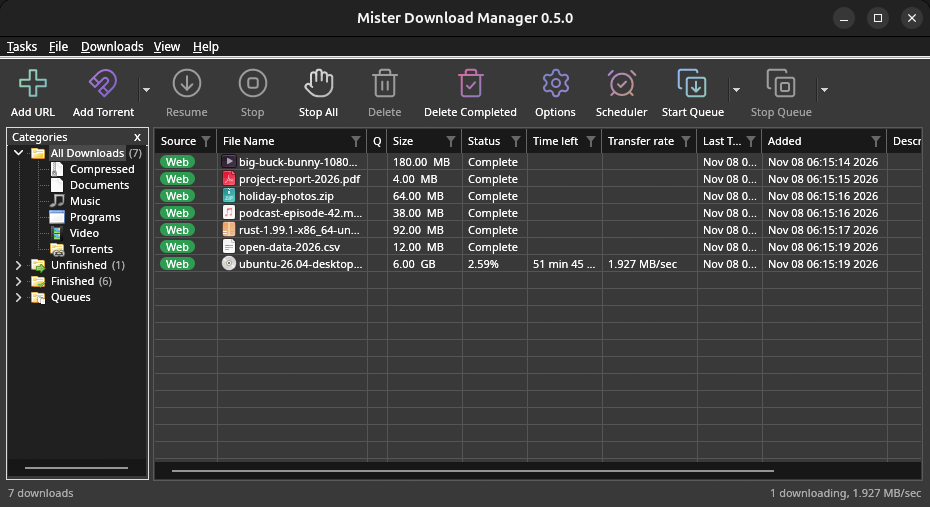
macOS: open the .dmg and drag GolinksPRO Download Manager to Applications, then right-click it and choose Open the first time.
Linux won't be experimental any more. GNOME, KDE Plasma, Xfce and Cinnamon were checked window by window, with the tray and Dark Mode support, in Wayland sessions too, and the .deb and .rpm in clean Ubuntu 24.04, Debian 12 and Fedora 45 systems. What's left: the Flatpak Firefox isn't checked yet, and screen readers (Orca) don't read GDM's windows on Linux yet. macOS stays experimental. Windows, Mac and Linux
Requisitos
- Windows 10 u 11 de 64 bits; unos 100 MB de espacio en disco.
- macOS 11 o posterior en Apple Silicon o Intel (experimental).
- Linux en x86-64 con una sesión de escritorio, X11 o Wayland (los archivos actuales son experimentales).
- For video pages, GDM downloads yt-dlp (and ffmpeg if you want merged qualities) on first use.
Verificar la descarga
Every release lists the SHA-256 checksum of each file in SHA256SUMS.txt. On Windows, compare it with certutil -hashfile file SHA256; on macOS and Linux with shasum -a 256 file.
Free and Open Source
GolinksPRO Download Manager is free software under the GNU GPL, version 3.
¿Algo no funciona? Nos gustaría saberlo.
Troubleshooting guide