

- Home
- Download
Download GolinksPRO Download Manager
Version 0.5.2 · free and open source · no ads, no spyware, nothing bundled. What's new
-
Windows 10 and 11 · 64-bit
- setup.exe
- Installs GDM, connects your browsers, asks your language
- portable.zip
- Unzip anywhere, a USB stick too; everything stays in its folder
- x64.zip
- The programs without an installer
-
macOS 11 and later
- arm64.dmg
- Apple Silicon: Macs with an M1 chip or later
- x86_64.dmg
- Intel: Macs with an Intel processor
- First start
- Not notarized by Apple yet: right-click the app and choose Open (macOS 15 and later: System Settings → Privacy & Security → Open Anyway)
-
Linux x86-64
Download the AppImage
It's a desktop app: open this page on your computer to download it.
The browser extension
It hands your browser's downloads to GDM with their cookies, adds Download with GolinksPRO Download Manager to the right-click menu and puts a Download video button over videos.
Firefox (and Zen, LibreWolf): one click from its add-ons store, and Firefox keeps it up to date.
 Add to Firefox
Chrome, Edge, Brave, Opera and Vivaldi: one click from the Chrome Web Store, and the browser keeps it up to date. Edge first asks to allow extensions from other stores.
 Add to Chrome
Can't use a store? It comes with the app, in its extension folder, and as its own download for Chromium browsers (.zip: unzip, then Load unpacked on the browser's extensions page with Developer mode on). The step-by-step guide shows each browser.
Install in three steps
- Download setup.exe above and run it. Windows may ask whether to allow it: the installer isn't code-signed yet, so choose More info → Run anyway.
- Pick your language and keep Set up browser integration ticked.
- Start GolinksPRO Download Manager from the Start menu, then download your first file.
On Linux or a Mac
Linux: install the .deb with sudo apt install ./<file>.deb (Debian, Ubuntu, Mint) or the .rpm with sudo dnf install ./<file>.rpm (Fedora), and the packages bring what GDM needs. Or make the AppImage executable (chmod +x) and run it. GDM connects itself to your browsers at each start; then add the extension from your browser's store, above. More in the help.
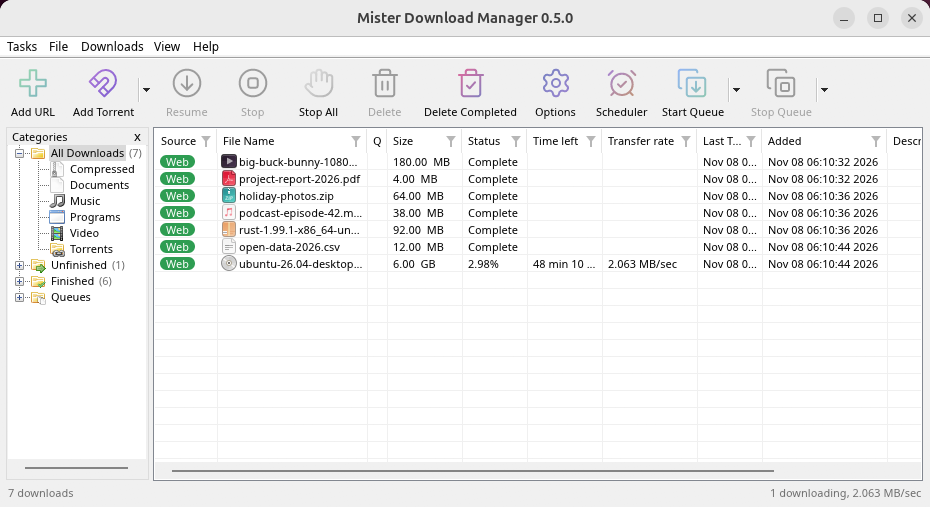
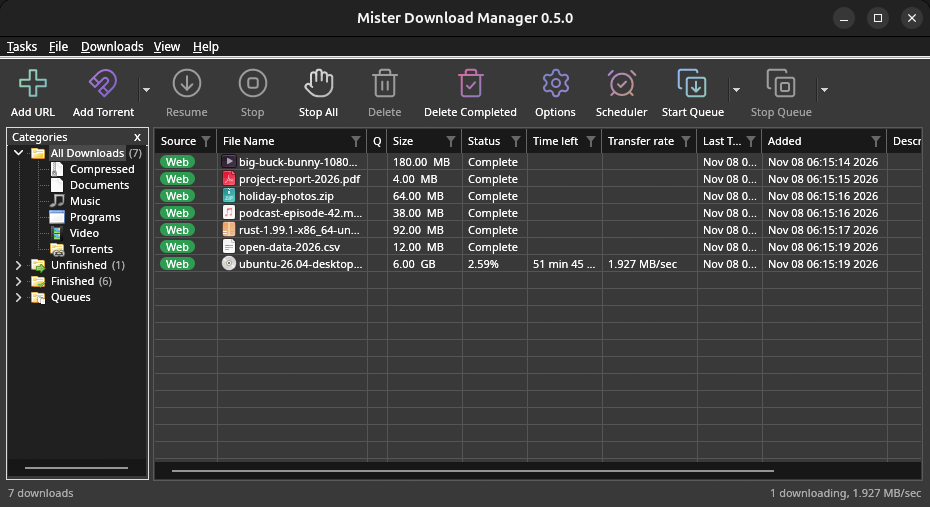
macOS: open the .dmg and drag GolinksPRO Download Manager to Applications, then right-click it and choose Open the first time.
Linux won't be experimental any more. GNOME, KDE Plasma, Xfce and Cinnamon were checked window by window, with the tray and Dark Mode support, in Wayland sessions too, and the .deb and .rpm in clean Ubuntu 24.04, Debian 12 and Fedora 45 systems. What's left: the Flatpak Firefox isn't checked yet, and screen readers (Orca) don't read GDM's windows on Linux yet. macOS stays experimental. Windows, Mac and Linux
What you need
- Windows 10 or 11, 64-bit; about 100 MB of disk space.
- macOS 11 or later on Apple Silicon or Intel (experimental).
- Linux on x86-64 with a desktop session, X11 or Wayland (today's files experimental).
- For video pages, GDM downloads yt-dlp (and ffmpeg if you want merged qualities) on first use.
Check your download
Every release lists the SHA-256 checksum of each file in SHA256SUMS.txt. On Windows, compare it with certutil -hashfile file SHA256; on macOS and Linux with shasum -a 256 file.
Free and Open Source
GolinksPRO Download Manager is free software under the GNU GPL, version 3.
Something not working? We'd like to know.
Troubleshooting guide