

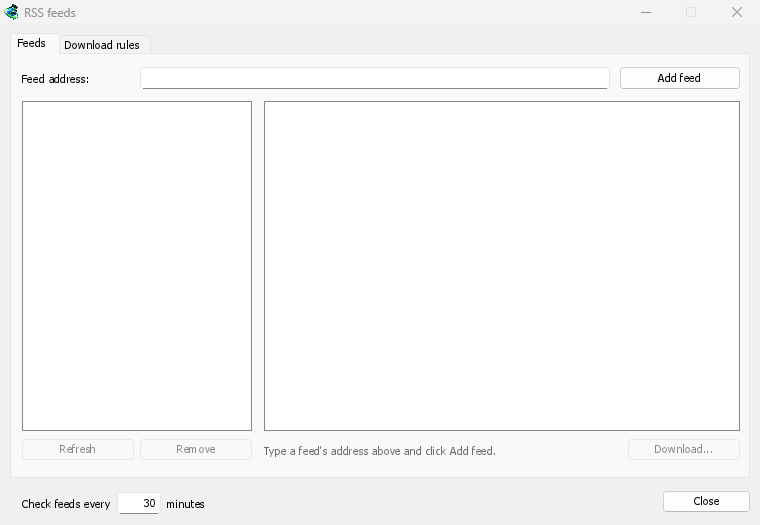
한 창에서 모든 피드 관리
Open Tasks → RSS feeds..., type a feed's address into Feed address and click Add feed. GDM fetches it at once, then every 30 minutes, or as often as you set, down to every 5. Pick a feed to see its articles: one with a torrent shows a torrent icon, and its size when the feed gives it. Double-click an article to open Add torrent with it, as for any torrent.
읽을 수 없는 피드는 빨간색으로 표시되며, 하단 줄에 이유가 나타납니다.
자동 선택 규칙
다운로드 규칙 탭에서 규칙은 제목이 일치하는 새 기사의 토렌트를 묻지 않고 추가합니다.
- 포함해야 하는 단어: 제목에 반드시 포함되어야 하는 단어들로, 순서에 상관없이 모두 포함되어야 합니다.
1080p|2160p는 둘 중 하나를,*및?는 와일드카드입니다. - 포함하지 않아야 하는 단어: 규칙이 기사를 건너뛰게 하는 단어들입니다.
- 원하는 경우 정규식을 동일한 두 상자에 사용할 수 있습니다.
- 저장 위치: 규칙의 토렌트를 저장할 폴더입니다. 직접 시작하려면 시작하지 않고 추가를 선택하세요.
각 에피소드는 한 번만
에피소드는 제목에서 S01E05 또는 1x05를 읽습니다. 1x2는 시즌 1, 에피소드 2를, 1x5-8는 에피소드 5부터 8까지를, 2x1-는 시즌 2부터 모든 것을 의미합니다. 규칙은 각 에피소드를 한 번만 가져옵니다. 이미 추가된 에피소드의 두 번째 릴리스가 나타나면 건너뜁니다.
예상치 못한 백로그 없음
규칙은 피드를 마지막으로 가져온 이후의 새 기사만 확인하며, 피드를 처음 가져올 때는 현재 있는 항목만 나열합니다. 피드나 규칙을 추가해도 전체 기록이 다운로드되지 않습니다. 현재 일치하는 기사 ...개는 규칙이 가져올 기사를 보여주므로, 이를 확인하고 수동으로 다운로드할 수 있습니다.
A torrent the list already has isn't added again, and GDM never writes into files it didn't make without asking. The window is made for feeds of torrents: an article opens in Add torrent, and a rule adds torrents.
무료, 오픈 소스, 광고 없음, 평가판 없음.
Download GolinksPRO Download Manager