

- Strona główna
- Funkcje
- Kanały RSS
Nowe odcinki, pobierane automatycznie
Many sites publish their new torrents as an RSS or Atom feed. GDM watches the feeds you follow, lists what they hold, and its rules add the new torrents you want by themselves.
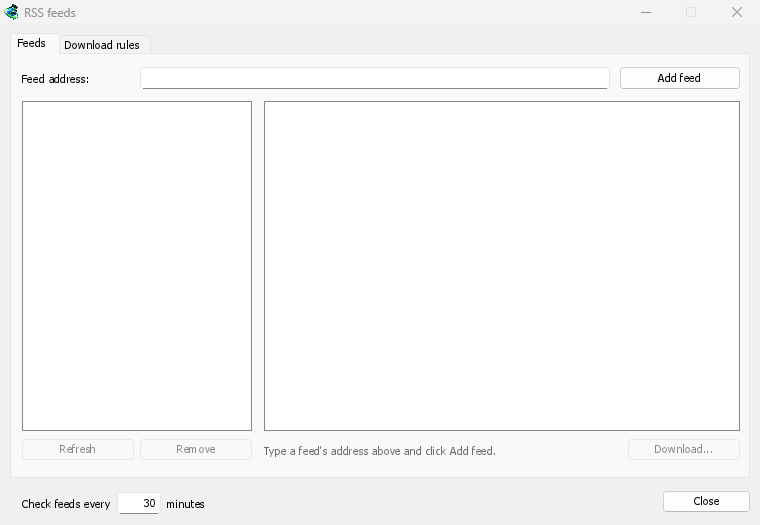
Twoje kanały w jednym oknie
Open Tasks → RSS feeds..., type a feed's address into Feed address and click Add feed. GDM fetches it at once, then every 30 minutes, or as often as you set, down to every 5. Pick a feed to see its articles: one with a torrent shows a torrent icon, and its size when the feed gives it. Double-click an article to open Add torrent with it, as for any torrent.
Kanał, którego nie można odczytać, jest wyświetlany na czerwono, z przyczyną podaną w dolnej linii.
Reguły, które wybierają za Ciebie
Na karcie Reguły pobierania reguła dodaje torrenty z nowych artykułów, których tytuły pasują do niej, bez pytania:
- Musi zawierać: słowa, które tytuł musi zawierać, wszystkie z nich, w dowolnej kolejności.
1080p|2160poznacza „lub”, a*i?to symbole wieloznaczne. - Nie może zawierać: słowa, które sprawiają, że reguła pomija artykuł.
- Wyrażenia regularne, dla tych, którzy ich potrzebują, w tych samych dwóch polach.
- Zapisz w: folder dla torrentów reguły, oraz Dodaj bez uruchamiania, jeśli wolisz uruchamiać je samodzielnie.
Każdy odcinek raz
Odcinki odczytuje S01E05 lub 1x05 w tytule. 1x2 to sezon 1, odcinek 2; 1x5-8 to odcinki od 5 do 8; 2x1- to wszystko od sezonu 2 wzwyż. Reguła pobiera każdy odcinek raz: gdy pojawi się drugie wydanie odcinka, który już został dodany, jest ono pomijane.
Brak niespodziewanych zaległości
Reguły sprawdzają tylko artykuły, które są nowe od ostatniego pobrania kanału, a pierwsze pobranie kanału tylko wyświetla to, co jest dostępne. Dodanie kanału lub reguły nigdy nie pobiera całej jego historii. Pasuje do… artykułów teraz pokazuje, które artykuły reguła by pobrała, dzięki czemu możesz to sprawdzić i pobrać je ręcznie.
A torrent the list already has isn't added again, and GDM never writes into files it didn't make without asking. The window is made for feeds of torrents: an article opens in Add torrent, and a rule adds torrents.
Darmowy, open source, bez reklam, bez wersji próbnej.
Download GolinksPRO Download Manager