


The browser's downloads, in GDM
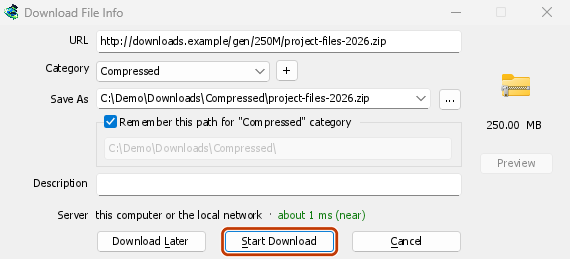
Click a download link and Download File Info opens in GDM instead of the browser's own download bar. GDM gets the address together with the page it came from, your cookies for the site and the browser's User-Agent, so a download that needs you to be signed in still works. The browser's copy is cancelled and taken off its download list.
You decide what GDM takes. Options → File types lists the file types it catches (ZIP, RAR, EXE, ISO, MP4, PDF and many more) and the sites it leaves alone, and Options → General has the browsers it takes downloads from. Everything else stays with the browser.
GDM doesn't need to be running first: the browser starts it. If GDM can't be reached at all, the download stays with the browser, so nothing is lost.
마우스 오른쪽 버튼 클릭 또는 동영상 위의 버튼
Right-click a link, a picture, a video or a sound and choose Download with Mister Download Manager: GDM downloads it whatever its type.
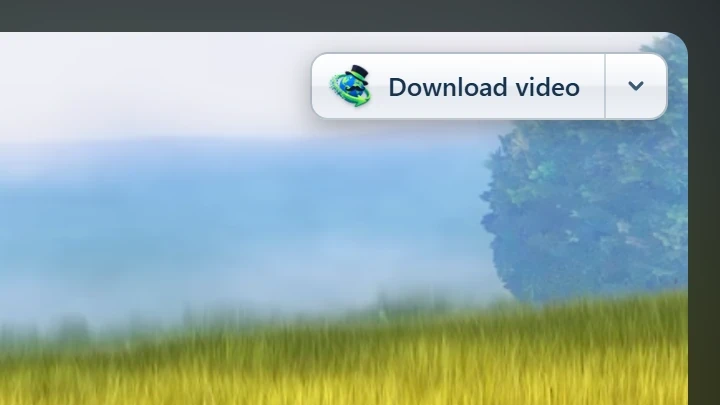
Point at a video and a small Download video button appears at its edge. It opens GDM's Download video from a page window with the qualities on offer (see video downloads). You can hide it on one video or one site, or turn it off in Options.
스토어에서 설치, 최신 상태 유지
Install GDM with its setup and keep Set up browser integration ticked. Then add the extension: Firefox 140 or later takes it from addons.mozilla.org, and Chrome, Edge, Brave, Opera and Vivaldi from the Chrome Web Store. The browser keeps it updated.
휴대용 버전은 폴더 외부에 아무것도 쓰지 않으므로 브라우저에 연결할 수 없습니다. 이 점은 명확한 제한 사항입니다.
브라우저 확장 기능, 버전 0.5.0
- The toolbar button says whether the browser reaches GDM, and How to fix it opens the help for the reason. When a setting leaves a download to the browser (its type isn't in File types, its site is excluded, it's under the minimum size), the button names the setting and the file, and GDM's log keeps a line for each.
- 이 페이지의 미디어는 페이지가 로드한 비디오 스트림과 비디오 및 사운드 파일을 나열하므로 링크가 없는 비디오도 저장할 수 있습니다. 복사 방지된 스트림은 보호됨으로 나열되며 전송되지 않습니다.
- 모든 링크 다운로드 및 선택한 링크 다운로드는 페이지의 링크를 링크 그래버로 보냅니다.
- PDFs, music and videos the browser would open itself, and downloads from forms, go to GDM too. Hold Alt while clicking to let the browser have one.
- Browsers built on Firefox or Chromium, such as Zen, LibreWolf, Floorp, Waterfox and Helium, reach GDM. Flatpak browsers on Linux can't start GDM's helper.
- Test browser integration... in Options → General checks GDM's side.
무료, 오픈 소스, 광고 없음, 평가판 없음.
Download GolinksPRO Download Manager