

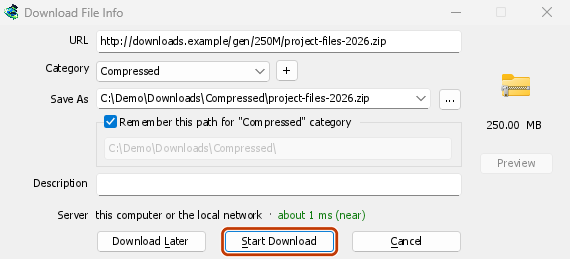

The browser's downloads, in GDM
Click a download link and Download File Info opens in GDM instead of the browser's own download bar. GDM gets the address together with the page it came from, your cookies for the site and the browser's User-Agent, so a download that needs you to be signed in still works. The browser's copy is cancelled and taken off its download list.
You decide what GDM takes. Options → File types lists the file types it catches (ZIP, RAR, EXE, ISO, MP4, PDF and many more) and the sites it leaves alone, and Options → General has the browsers it takes downloads from. Everything else stays with the browser.
GDM doesn't need to be running first: the browser starts it. If GDM can't be reached at all, the download stays with the browser, so nothing is lost.
右键点击,或使用视频上方的按钮
Right-click a link, a picture, a video or a sound and choose Download with Mister Download Manager: GDM downloads it whatever its type.
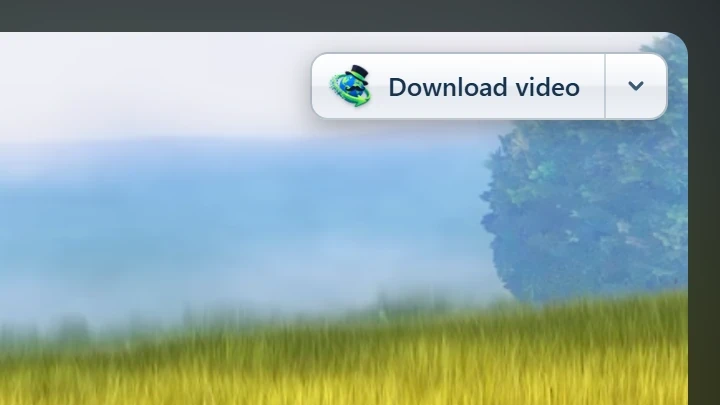
Point at a video and a small Download video button appears at its edge. It opens GDM's Download video from a page window with the qualities on offer (see video downloads). You can hide it on one video or one site, or turn it off in Options.
从商店安装,保持最新
Install GDM with its setup and keep Set up browser integration ticked. Then add the extension: Firefox 140 or later takes it from addons.mozilla.org, and Chrome, Edge, Brave, Opera and Vivaldi from the Chrome Web Store. The browser keeps it updated.
一些限制,请注意:便携版无法连接到浏览器,因为它不会在其文件夹之外写入任何内容。
浏览器集成,版本 0.5.0
- The toolbar button says whether the browser reaches GDM, and How to fix it opens the help for the reason. When a setting leaves a download to the browser (its type isn't in File types, its site is excluded, it's under the minimum size), the button names the setting and the file, and GDM's log keeps a line for each.
- 此页面上的媒体会列出页面已加载的视频流以及视频和音频文件,因此没有链接的视频仍然可以保存。受版权保护的流会显示为受保护,并且永远不会发送。
- 下载所有链接和下载选定链接会将页面的链接发送到链接抓取器。
- PDFs, music and videos the browser would open itself, and downloads from forms, go to GDM too. Hold Alt while clicking to let the browser have one.
- Browsers built on Firefox or Chromium, such as Zen, LibreWolf, Floorp, Waterfox and Helium, reach GDM. Flatpak browsers on Linux can't start GDM's helper.
- Test browser integration... in Options → General checks GDM's side.
免费、开源、无广告、无试用版。
Download GolinksPRO Download Manager