

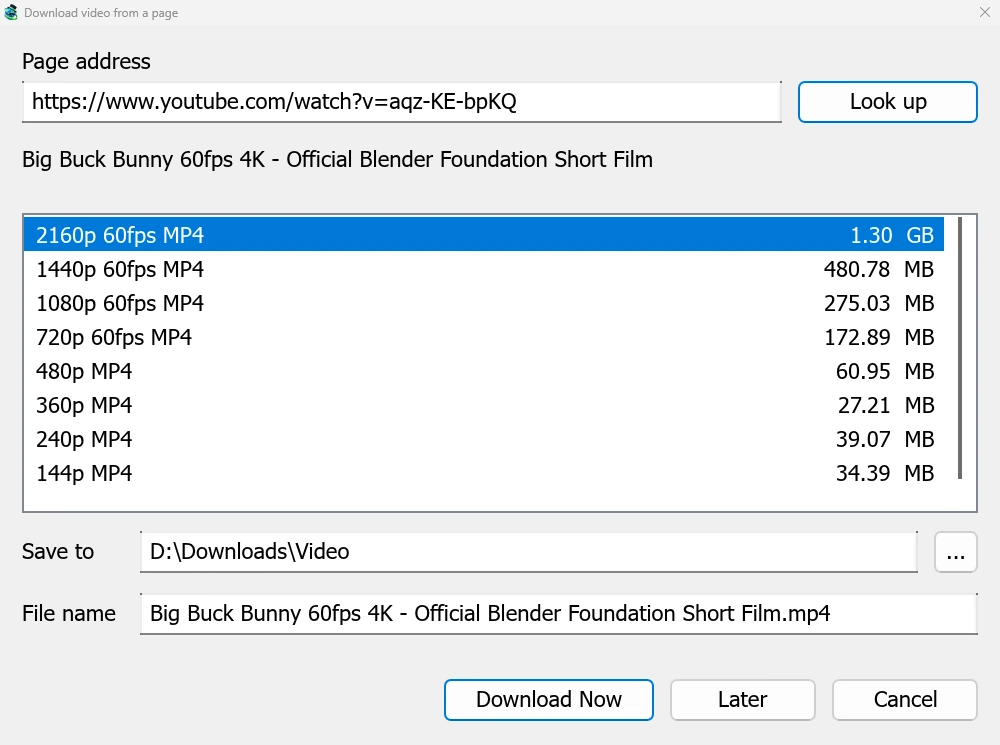
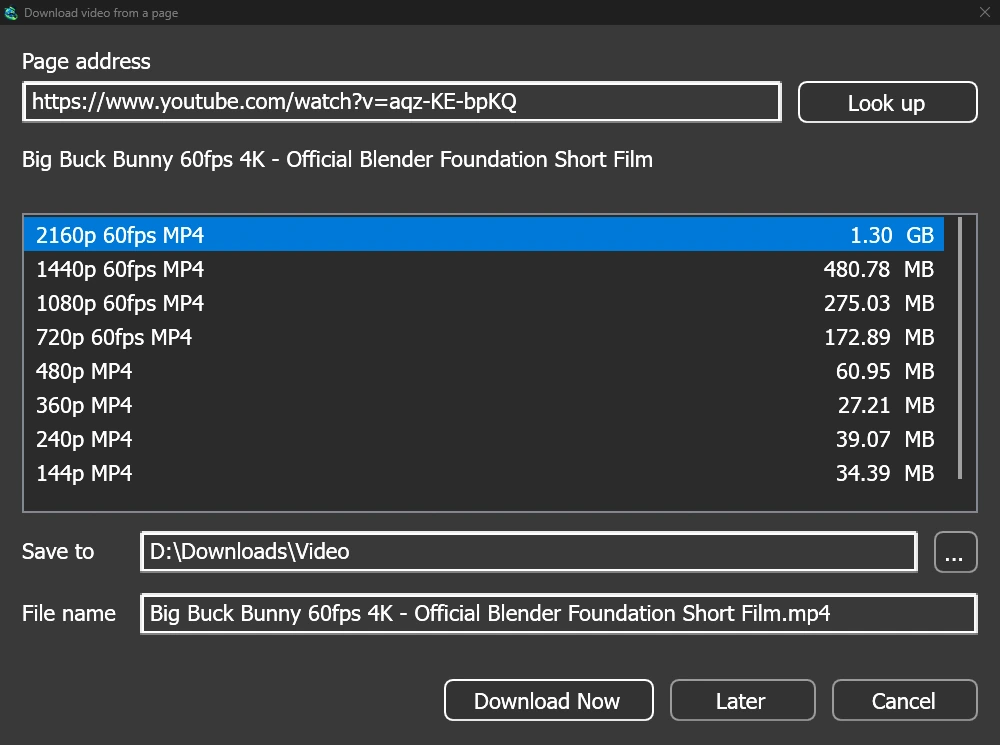
あらゆる動画ページに対応する単一ウィンドウ
Give a video's page address to Add URL (Ctrl+N) and GDM sees that it is a video page: Download video from a page opens and looks it up. YouTube, Vimeo, Dailymotion, Twitch, TikTok, Instagram, Reddit and well over a thousand other sites work. With the browser extension, the button over a video opens the same window.
リストには、各品質とそのサイズが、最適なものから順に表示され、最後に音声のみが表示されます。保存先とファイル名を確認し、今すぐダウンロードをクリックするか、後でをクリックして後でダウンロードするリストに追加します。動画は、他のダウンロードと同様に、独自の行と進行状況ウィンドウを取得します。
使用前に確認する 2 つのヘルパー
GDM doesn't do this alone, and doesn't pretend to. yt-dlp reads the page and downloads the video. ffmpeg joins the picture and the sound when a site keeps them apart, which most sites do for their higher qualities. GDM offers both on its first start and downloads them from their official releases, checked against what their publishers sign before it uses them. On Linux and macOS GDM uses the system's ffmpeg.
ffmpeg がなくても、音声付きの品質は引き続き利用できます。
できないこと
Videos protected with DRM, as most paid streaming services use, can't be downloaded, and GDM doesn't try. Downloading may be against some sites' terms: checking that is up to you.
Sites change often, and a newer yt-dlp usually fixes a video that stopped working. GDM doesn't update yt-dlp on its own yet; the help shows how to get the newest one.
プレイリスト、字幕、MP3
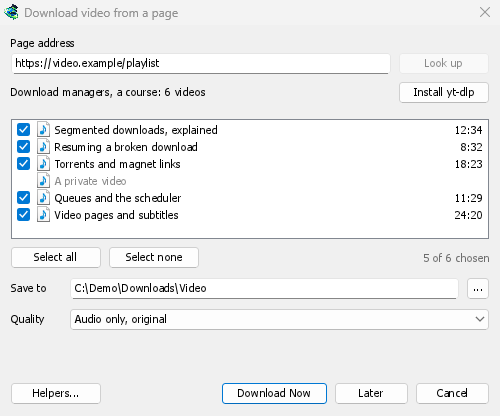
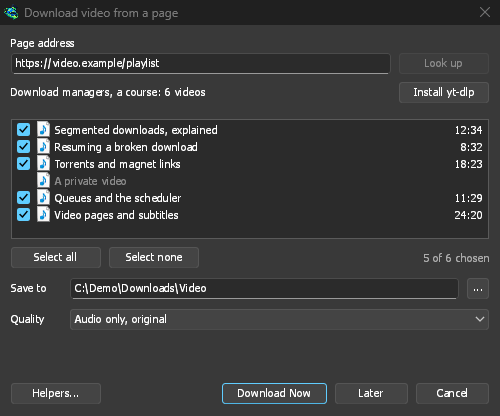
- プレイリストとチャンネル: プレイリストまたはチャンネルのアドレスを貼り付けると、ウィンドウにその動画がすべてチェックされた状態でリスト表示されます。1 つの品質がすべての動画に適用され、リストの名前が付いたフォルダーに保存されます。チャンネルは 1 回に 50 本の動画がリスト表示され、さらに読み込むで追加できます。
- 字幕: アップローダーの言語が最初に表示され、次にサイトの自動キャプションが表示されます。動画の横に保存されるか、ffmpeg を使用して MP4 または MKV ファイルに埋め込まれます。
- 音声のみ: 最高の可変ビットレートまたは 320、256、192、128 kbps の音声のみ MP3、音声のみ OPUS、および音声のみ FLAC。FLAC はサイトの音声が持たない品質を追加できないという正直な注記付きです。
- サインインが必要な動画: オプション → サイトのログイン → 動画サイトの Cookie を使用すると、yt-dlp が貼り付けられたリンクのブラウザーの Cookie を読み取ることができます。Chrome、Edge、Brave は Windows で Cookie をロックするため、ウィンドウにその旨が表示されます。Firefox は機能し、動画上のボタンも機能します。
- 独自の yt-dlp と ffmpeg: ヘルパー...は、すでに持っているコピーを使用します。
無料、オープンソース、広告なし、試用期間なし。
Download GolinksPRO Download Manager