

A download that stopped halfway doesn't have to start over. GDM keeps what it has and continues from there.
连接中断后
When the connection drops, GDM retries on its own. In the progress window, the connection table shows Retrying and the reason. Usually the download goes on by itself once the connection is back.
如果重试失败并显示错误:
- 在列表中选择该下载。
- 点击工具栏上的恢复(或右键点击 → 恢复下载)。
崩溃或重启后
GDM saves each download's progress as it goes, so a Windows crash, a power cut or closing GDM loses at most the last moments.
- Start GDM. The download is in the list under Unfinished.
- 选择它并点击恢复。
当链接已过期时
许多网站提供的链接只在一段时间内有效,或者只在您登录时有效。此时恢复会失败,因为旧地址不再响应。
- 右键点击下载并选择刷新下载地址。
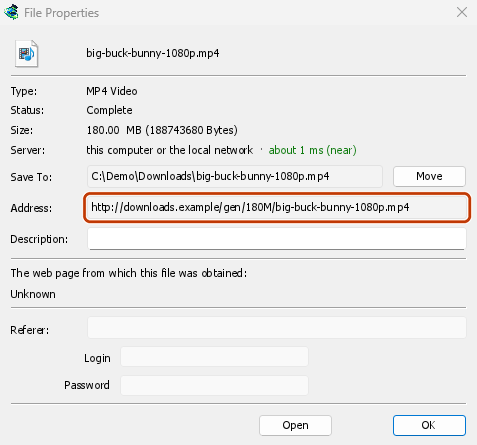
- GDM opens the web page the link came from (when it knows it), and the download's File Properties.
- On the web page, start the download again, or copy the new download link (right-click → Copy link). If the browser hands the new download to GDM, cancel it there: you only need the address.
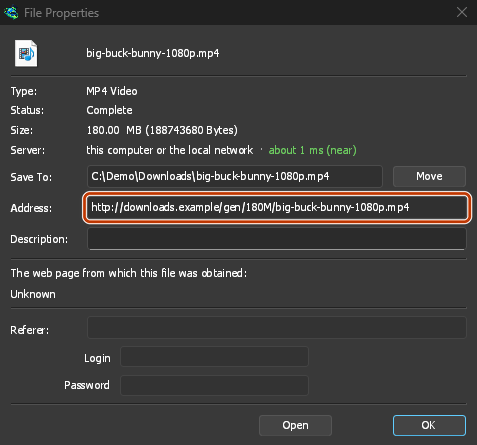
- 将新链接粘贴到文件属性中的地址,然后点击确定。
- 点击恢复。下载将使用新地址从停止的地方继续。
The new address has to point at the same file. If it doesn't, GDM stops with the file changed on the server.
当服务器上的文件已更改时
If the site replaced the file with a new version, the parts GDM has don't fit any more. Right-click the download and choose Redownload to start again from the beginning. A finished file is only replaced when the new download completes.
无法续传时
Look at Resume capability in the progress window. No means the server can't send a file in parts. GDM then uses one connection, and a download that stops has to start over. For such servers, avoid stopping the download, and avoid a very low speed limit, which can make the server drop the connection.
下一步
免费、开源、无广告、无试用版。
Download GolinksPRO Download Manager