

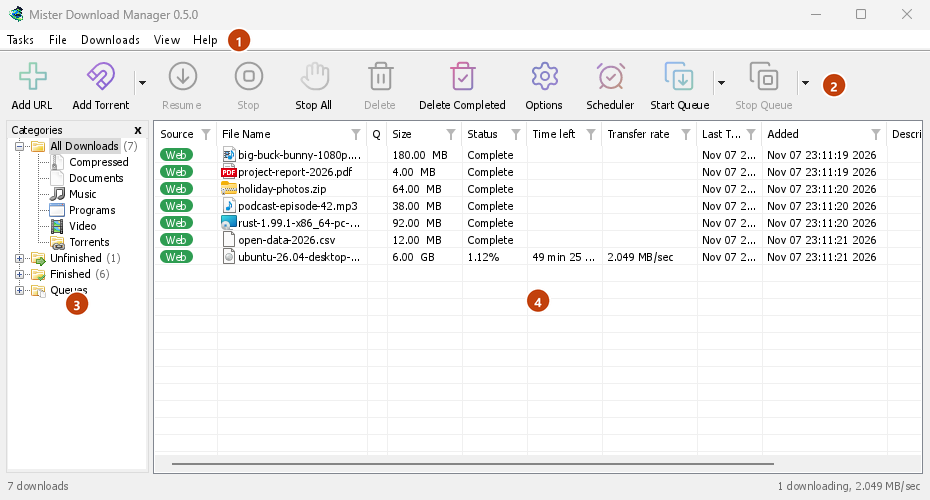
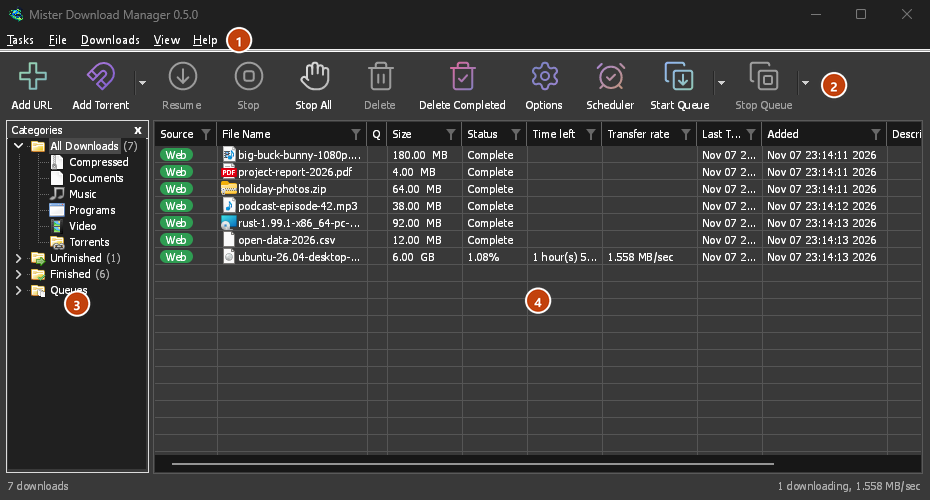
स्क्रीन रीडर जानते हैं कि स्क्रीन पर क्या है
Every window of GDM, its dialogs and menus included, tells a screen reader what each control is, its name and its state. The download list reads each download's name, status and size, so you know what is running and how far it has got without looking.
सहायता Windows के स्क्रीन रीडर, Narrator और NVDA का नाम बताती है। यदि आप Linux या macOS पर स्क्रीन रीडर का उपयोग करते हैं, तो कृपया हमें बताएं कि यह कैसा चल रहा है।
माउस की आवश्यकता नहीं
कुंजियाँ वही हैं जो Windows उपयोगकर्ता पहले से जानते हैं। Ctrl+N एक डाउनलोड जोड़ता है, Ctrl+F एक को ढूंढता है, Enter उसे खोलता है और Alt+Enter उसके गुण दिखाता है। F10 या Alt मेनू खोलता है, और रेखांकित अक्षर उनके आइटम चलाते हैं। Shift+F10 या Menu कुंजी चयनित डाउनलोड का मेनू खोलती है। Tab श्रेणियाँ ट्री और सूची के बीच चलता है, और ट्री तीर कुंजियों का जवाब देता है।
डायलॉग में, Tab कंट्रोल के बीच चलता है, तीर रेडियो ग्रुप और टैब स्ट्रिप से गुजरते हैं, Ctrl+Tab टैब बदलता है, और नाम टाइप करने से किसी भी सूची या ड्रॉप-डाउन में उस पर कूद जाता है। URL जोड़ें का पता और इस रूप में सहेजें एक इतिहास रखते हैं जिसे आप ऊपर और नीचे के साथ चल सकते हैं, और शेड्यूलर का कैलेंडर कीबोर्ड से काम करता है। Mac पर, ⌘ Ctrl की जगह लेता है।
कुंजियाँ लिखी हुई हैं
हर मेनू हर कमांड की कुंजियों को उसके बगल में दिखाता है, और सहायता → कीबोर्ड शॉर्टकट उन सभी को सूचीबद्ध करता है। कीबोर्ड शॉर्टकट पृष्ठ में वही सूची है, विंडो दर विंडो। जब आप कीबोर्ड का उपयोग करते हैं तो फोकस रिंग दिखाई देती हैं, और जब कोई बटन खुद को ग्रे कर देता है या Escape एक ड्रॉप-डाउन को बंद कर देता है, तो फोकस आगे बढ़ता है, या वापस आता है, ताकि Tab कभी भी ऊपर से शुरू न हो।
हर पंक्ति, और पढ़ने में आसान
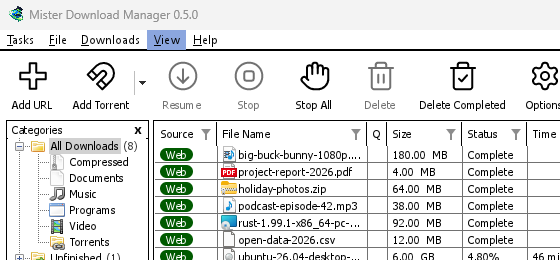
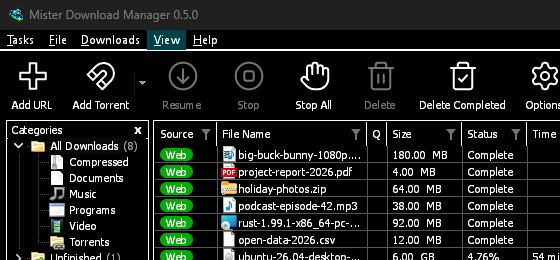
The Categories pane will read as a tree, each category with its count, open or shut, and the menu bar and every right-click menu as menus whose items can be run. Screen readers will reach every row of a list, not only those in view, with its place ("12 of 40"), and lists such as Download video's qualities and Add torrent's files will read with their names and ticks. A window will show its contents the first time a screen reader reads it, and a drop-down's choice can be set by its text. In dark mode, grey notes and error texts will have the 4.5:1 contrast WCAG asks for. View → Theme adds High contrast: black and white, a bright accent, every edge drawn, text at 7:1 or more (see themes). View → Interface size will make every window larger, from 100 % to 200 % on top of the system's display scale, with Ctrl +, Ctrl − and Ctrl 0 in any GDM window, as in a browser; a window larger than the screen scrolls the rest.
मुफ़्त, ओपन सोर्स, कोई विज्ञापन नहीं, कोई ट्रायल नहीं।
Download GolinksPRO Download Manager