

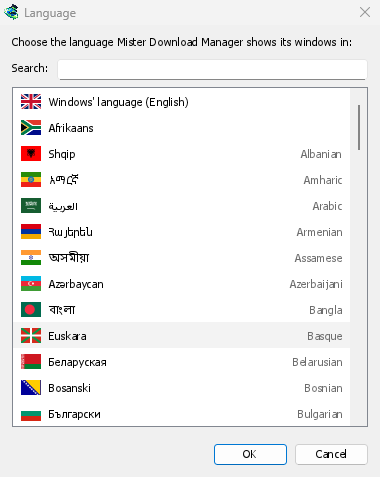
Windows 支持的所有语言
此列表涵盖 Windows 11 的所有显示语言,包括两种中文脚本、西班牙语(西班牙和墨西哥)、法语(法国和加拿大)、葡萄牙语(葡萄牙和巴西),以及西里尔字母和拉丁字母的塞尔维亚语。语言页面列出了所有这些语言。
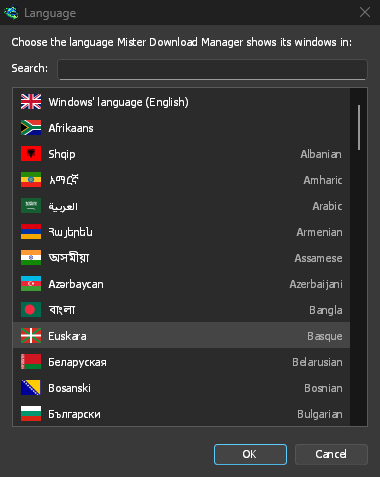
The setup asks for its language first, with Windows' own already selected, and GDM starts in the one you pick. A zip copy shows the list on its first start instead: each language with its flag, its own name and its English name. The setup speaks the same languages, and the browser extension speaks your browser's.
随时更改,无需重启
View → Language... opens the same list. Type in Search to narrow it, then double-click a language. The window switches at once. Windows' language, at the top, follows Windows' display language, and falls back to English when GDM doesn't have it.
从右到左,完美呈现
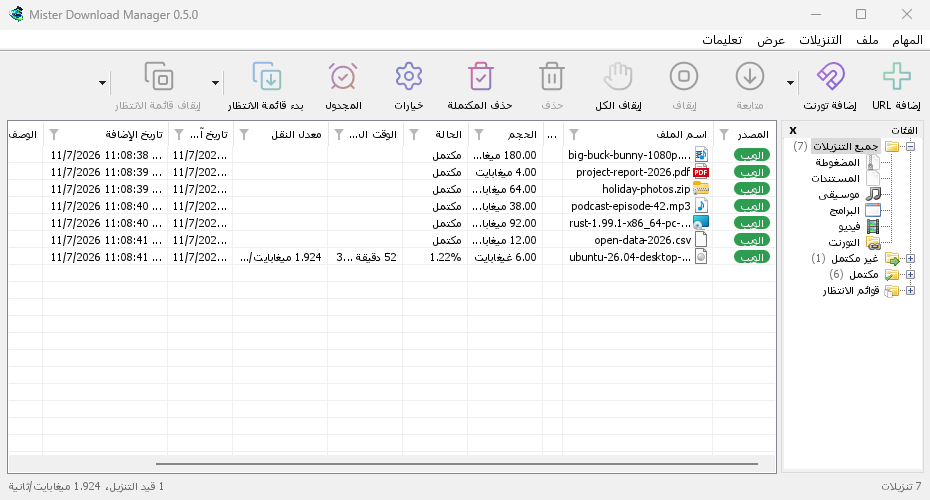
In Arabic, Hebrew, Persian, Urdu and Uyghur the whole window is mirrored, the way Windows does it for these languages. File names, addresses and folder paths keep their own direction inside translated sentences, so they stay readable. GDM uses the system's own fonts for every script.
关于翻译的说明
大多数翻译是由机器完成的,正在等待母语使用者进行校对,因此某些措辞可能听起来不自然。尚未翻译的文本会显示为英文。如果您精通某种语言,可以帮助修正:每种语言都是仓库中的一个纯文本文件,翻译指南会说明如何通过拉取请求或问题报告来提交更改。
符合您语言习惯的数字和自适应按钮
无论 Windows 区域设置如何,计数、大小、速度和百分比都将以所选语言的书写方式显示(德语 10.200 和 1,50 MB,法语 10 200);如果区域设置与语言相同,则保持其自身方式。英语则保持不变。所有窗口中的按钮都会根据翻译后的文本自动调整大小,因此较长的德语或俄语标签将不再被截断。日期仍会遵循您的区域设置,或您在选项 → 区域中的选择。
免费、开源、无广告、无试用版。
Download GolinksPRO Download Manager